






Για αγορές από το κατάστημά μας άνω των 300€, μπορείτε να πληρώσετε έως 3 άτοκες δόσεις.
- Εντός Αττικής - €3 / 2 κιλά (+ 1.50 για κάθε επιπλέον κιλό)
- Εκτός Αττικής - €3.5 / 2 κιλά (+ 1.50 για κάθε επιπλέον κιλό)
- Ευρώπη από 41€ και πάνω βάση κιλών
- Αμερική - Καναδάς από 46€ και πάνω βάση κιλών
- Κύπρος από 21€ και πάνω βάση κιλών
- Με πιστωτική / Χρεωστική Κάρτα
- Αντικαταβολή + 3€
- Paypal
- Τραπεζική κατάθεση
- Πληρωμή στο κατάστημα
- Εγγύηση σε όλα μας τα προϊόντα
- Ενημέρωση πορείας παραγγελίας
- Επιστροφές - Ακυρώσεις
- Πολλοί τρόποι πληρωμών
- Οι καλύτερες τιμές!
-
Η Διαθεσιμότητα των προϊόντων αλλάζει συνεχώς. Διαβάστε εδώ!
ΔΙΑΒΑΣΤΕ ΜΕ ΠΡΟΣΟΧΗ ΤΑ ΠΑΡΑΚΑΤΩ
1] Για τον Λόγο πως η Διαθεσιμότητα μεταβάλλεται συνεχώς ή μπορεί να μην επαρκεί για την πλήρη εκτέλεση της παραγγελίας σας (Εφόσον τα τεμάχια που χρειάζεστε είναι περισσότερα του 1ος ) , είτε σε Τηλεφωνική είτε σε Ηλεκτρονική παραγγελία η παραπάνω πληροφορία επιβεβαιώνεται ΜΟΝΟΝ εφόσον ΜΕΤΑ την καταχώρηση της παραγγελίας σας και εντός 2 ΩΡΩΝ λάβετε το σχετικό SMS και EMAlL που ΑΝΑΦΕΡΕΙ πως η παραγγελία σας είναι έτοιμη για παραλαβή. Σε Διαφορετική περίπτωση η παραγγελία σας ακολουθεί τους χρόνους των όρων χρήσης του Ηλεκτρονικού καταστήματος ( 1 Έως 3 Ημέρες ) και βάσει αυτών θα σας αποσταλεί sms και email επιβεβαίωσης για την παραλαβή της παραγγελίας σας.
2] Σε καμία περίπτωση ΔΕΝ πρέπει να ξεκινήσετε για παραλαβή ΕΑΝ ΔΕΝ ΕΧΕΤΕ λάβει την σχετική επιβεβαίωση και ουδεμία ευθύνη φέρουμε για την τυχόν ταλαιπωρία που θα υποβληθείτε.
3] ΔΕΝ υπάρχει δυνατότητα Αυθημερόν παραλαβής από τις Κεντρικές Αποθήκες.
4] Για να επωφεληθείτε της Αυθημερόν Παραλαβής Πρέπει να επιλέξετε παραλαβή της παραγγελίας σας από το σχετικό κατάστημα που έχει την δυνατότητα να εξυπηρέτησει την ανάγκη σας βάση του πίνακα διαθεσιμότητας.
5] Σε περίπτωση που η Παραγγελία σας περιλαμβάνει και άλλα πράγματα που Δεν είναι διαθέσιμα για άμεση παραλαβή από το κατάστημα της επιθυμίας σας τότε θα λάβετε το SMS επιβεβαίωσης για παραλαβή όταν συγκεντρωθούν ΟΛΑ σας τα προϊόντα δηλαδή εντός 1-3 εργάσιμες ημέρες.
6] Ο Έλεγχος Διαθεσιμότητας γίνεται ΜΟΝΟΝ κατά το άνοιγμα του παραθύρου. Σε περίπτωση που έχετε παραμείνει για λεπτά στη σελίδα, παρακαλούμε κάντε κλικ στον Επανέλεγχο Διαθεσιμότητας πριν προχωρήσετε στην παραγγελία σας.

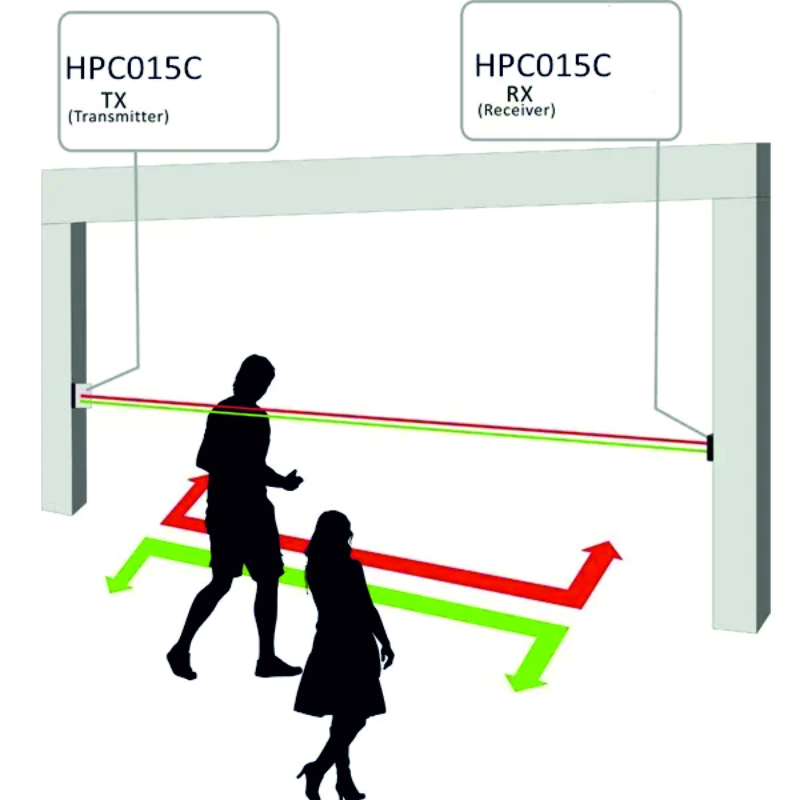
Μετρητής Υπέρυθρων Πελατών HPC015 Infrared People Counter
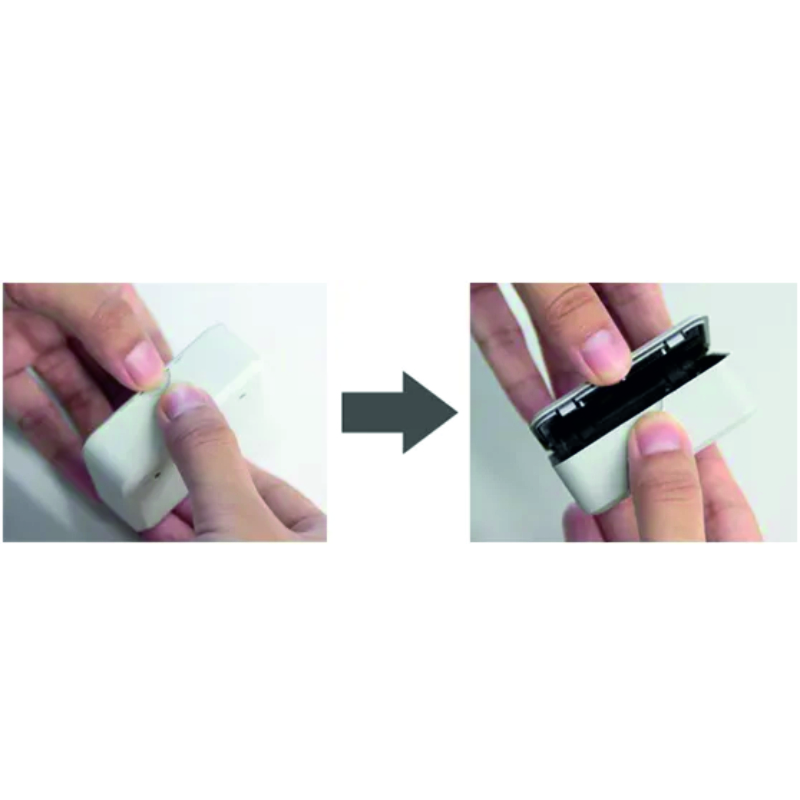
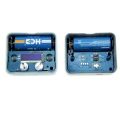
Installation of Cover Plate
There is a cambered notch at the top of receiver and transmitter. Use the thumbs of both hands to press the cover plate and the base, then open the cover plate carefully. After the installation and settings are finished, the cover plate can be buckled on.
Attention!
Be sure to install the cover plates in correct direction.
The black bar area of the cover plate is infrared light transmission area. The infrared light of transmitter emits infrared ray beams through the area. Receiver receives the infrared ray beams and shows the contents of OLED display screen through the area.
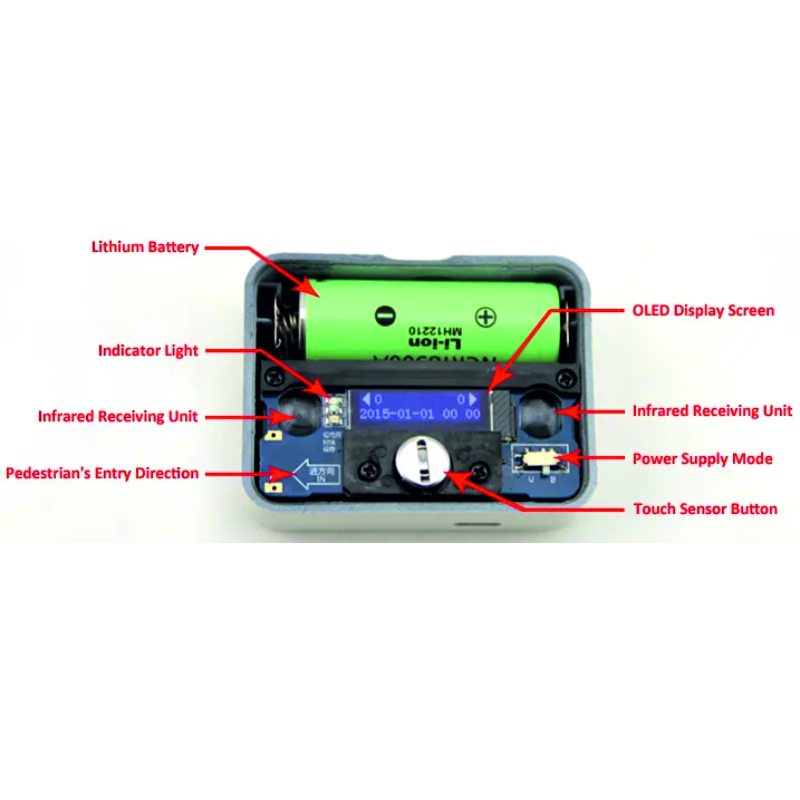
After installing the battery, OLED display screen will show the booting information. By touching the touch sensor button, you can switch the contents on display screen: the current battery remaining capacity (BAT) and product serial number (SN), working parameters, open and close time, start AP menu and so on. If without touch operation for more than 10 seconds, the display screen will automatically turn off to reduce power consumption.
There are three indicator lights for receiver:
Red indicator light is used as the infrared focus indication. When receiver cannot receive the infrared signal from transmitter, the red indicator light will flash. Through this indicator light, you can easily find the suitable mounting position of transmitter.
Yellow indicator light is used for low-voltage battery alarm and charge indications. When the battery voltage is too low, the indicator light will flash to remind you to charge or replace the battery. When the battery is charged through the USB interface, the indicator light is on. If you do not want to use battery, turn the DIP switch of power supply mode to the "V" position, then you can use the USB interface to charge the receiver.
Blue indicator light is for WIFI network transmission or data saving indication.
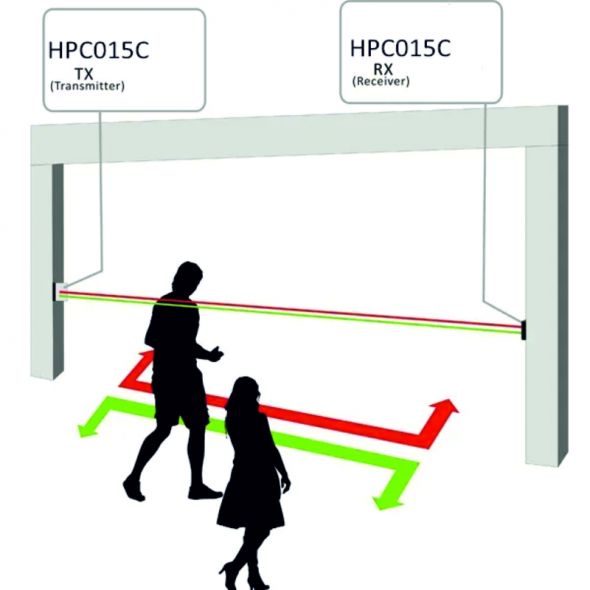
Installation of Receiver
Receiver is installed on the right side of entrance in pedestrian’s entry direction. The USB interface of receiver faces down, and the infrared receiving units of receiver face the direction of transmitter. Use the matched double-sided tape to paste the receiver on the wall or door frame at about 1.3m height. If there is no suitable flat surface to fix the receiver directly in the installation location, you can use the matched mounting bracket to make sure the receiver and transmitter is face-to-face.